
Diagnose WordPress problems faster. Collect a complete site health report in one click and paste it into any AI assistant — Claude, ChatGPT, Gemini, or others — for instant analysis and fix suggestions.

Version 2.30.4 - Free
Works with Claude - ChatGPT - Gemini
Is your WordPress site running slowly, throwing errors, or behaving strangely after an update? AI Site Medic collects a complete WordPress diagnostic report in one click — PHP environment, error logs, database health, disk space, cron jobs, and more — and formats it so you can paste it straight into ChatGPT, Claude, Gemini, or any AI assistant.
Instead of spending hours digging through your WordPress site health screen and server logs, you get a specific, actionable list of what to fix in minutes. One click collects a complete snapshot of your WordPress site and formats it so any AI assistant can read it and start diagnosing problems right away.
PHP version, memory limits, server software, OPcache status, and key extensions.
Active and inactive plugins with update status, active theme and parent theme details.
Table sizes, autoload bloat, slow queries, post and revision counts.
Last 200 lines of your PHP error log, parsed by severity so the AI sees what matters.
Partition usage, uploads directory size, and error log size — flags critical levels automatically.
WP_DEBUG exposure, file editing, admin user audit, xmlrpc.php status, and more.
All scheduled events including overdue jobs that may be causing slowdowns.
CDN detection, reverse proxy, home page response time, and directory permissions.
Full results from WordPress's built-in Site Health checks, included in the report.
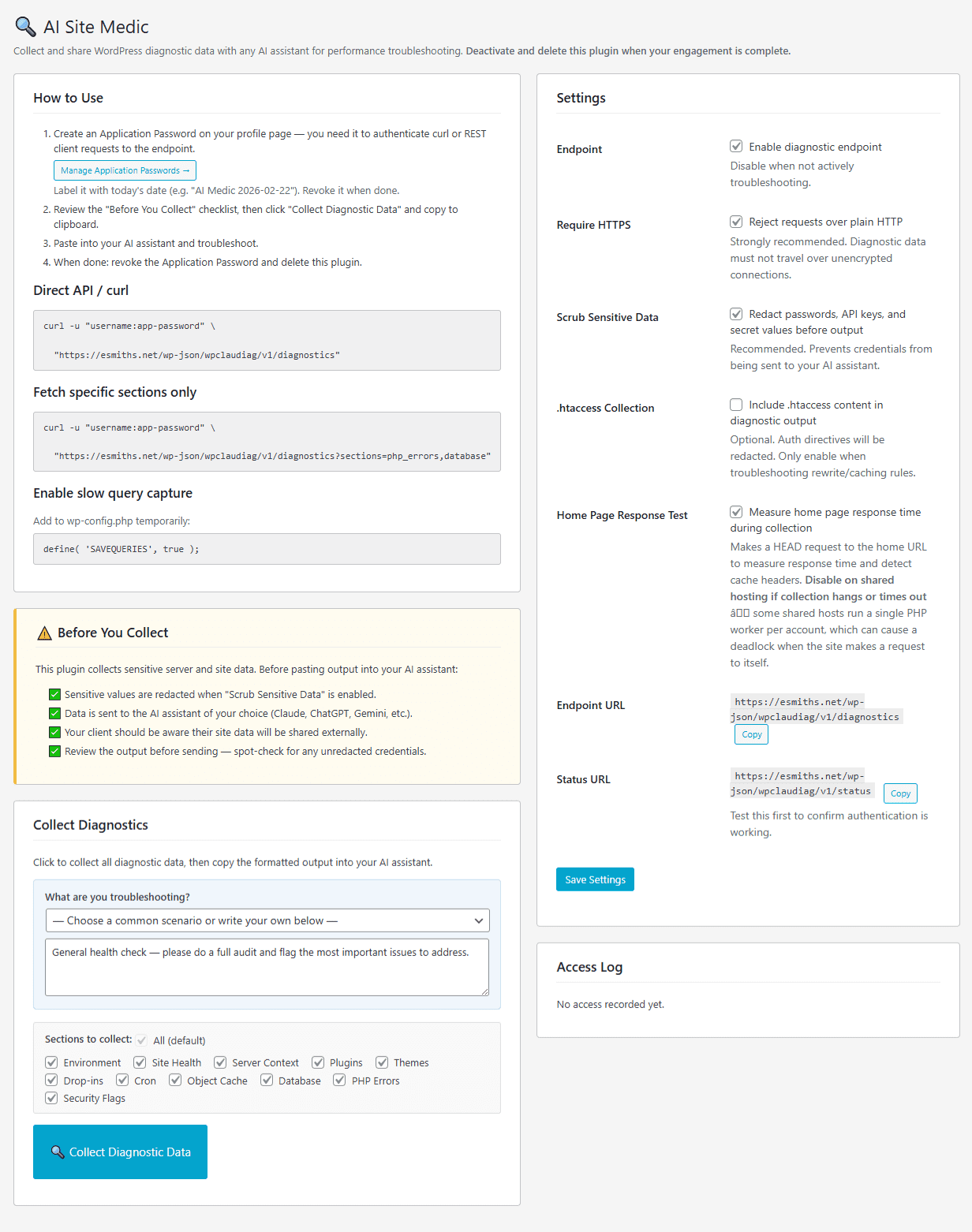

Select the sections you need, click Collect, then copy the output straight into your AI assistant. No configuration required. Install, collect, paste, and get answers.
Download from WordPress.org and install via Plugins → Add New, or upload the zip file directly.
Go to Users → Your Profile and create a WordPress Application Password. This is required to securely authenticate with the plugin.
Select the sections you want to collect, choose a troubleshooting scenario from the dropdown, then click Collect Diagnostics.
Copy the formatted output and paste it into Claude, ChatGPT, Gemini, or any AI assistant. The report is pre-formatted so the AI can start diagnosing immediately.
This plugin exposes detailed server information. Once your troubleshooting is complete, deactivate and delete it, and revoke the Application Password you created.